Private beta
Know where every dollar goes.
Your accounts, spending, budgets and bills in one clear place. On your own, or shared.
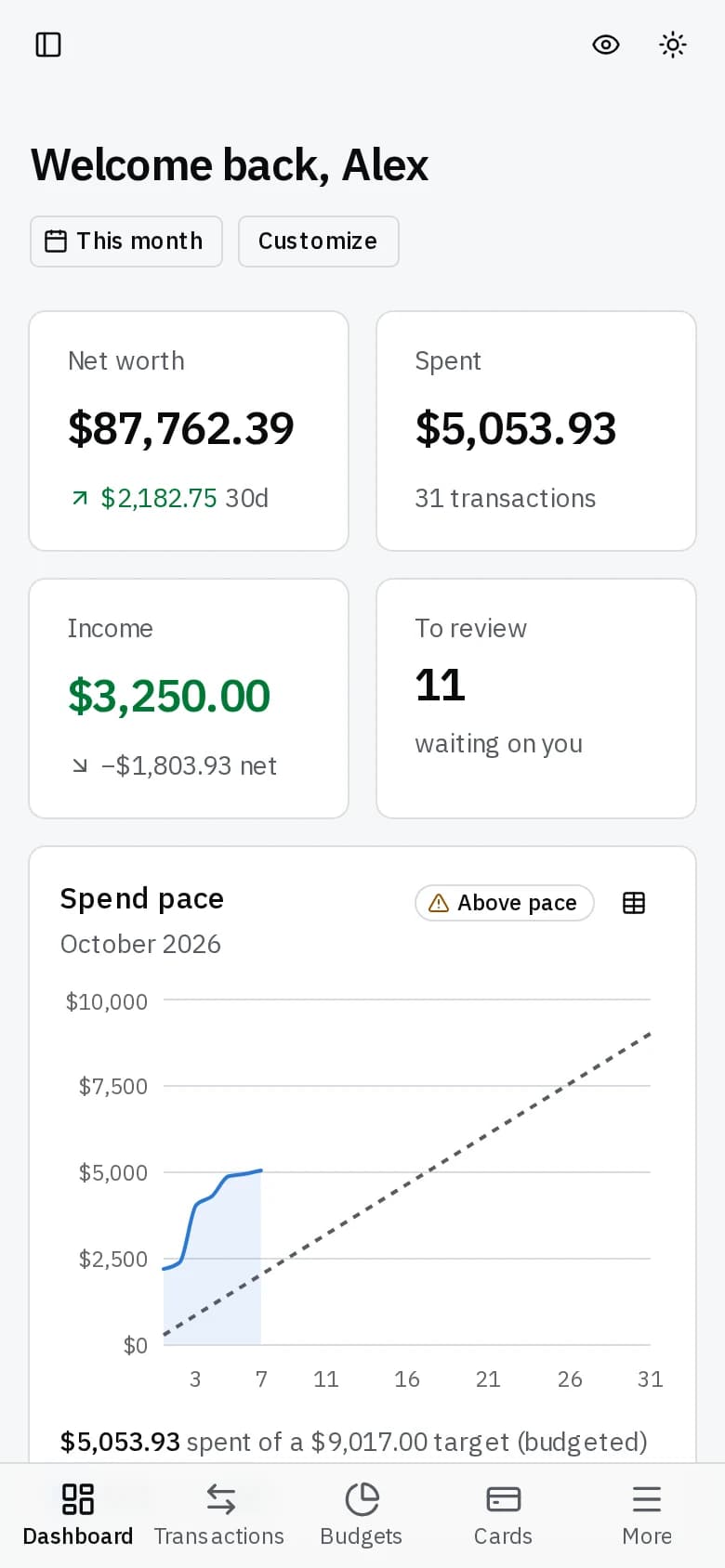
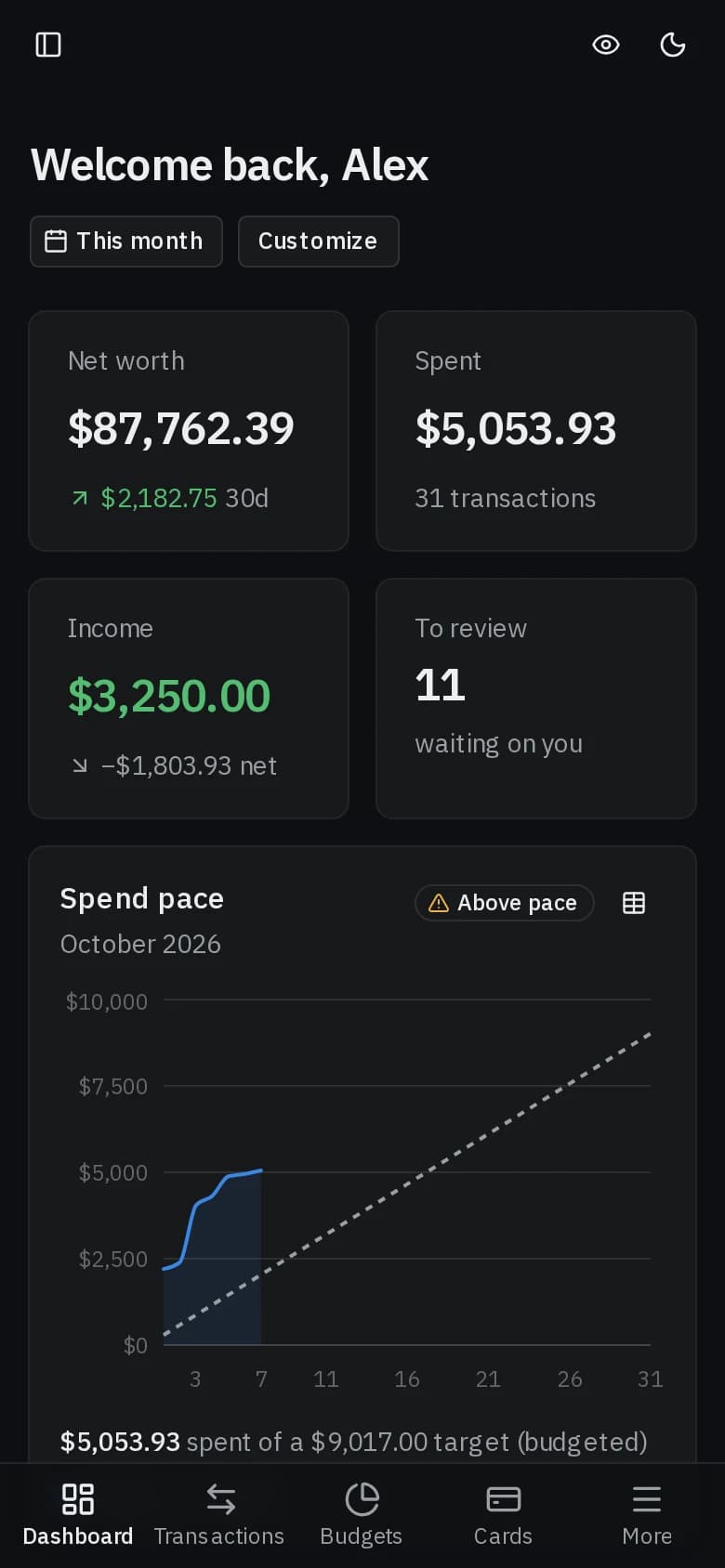

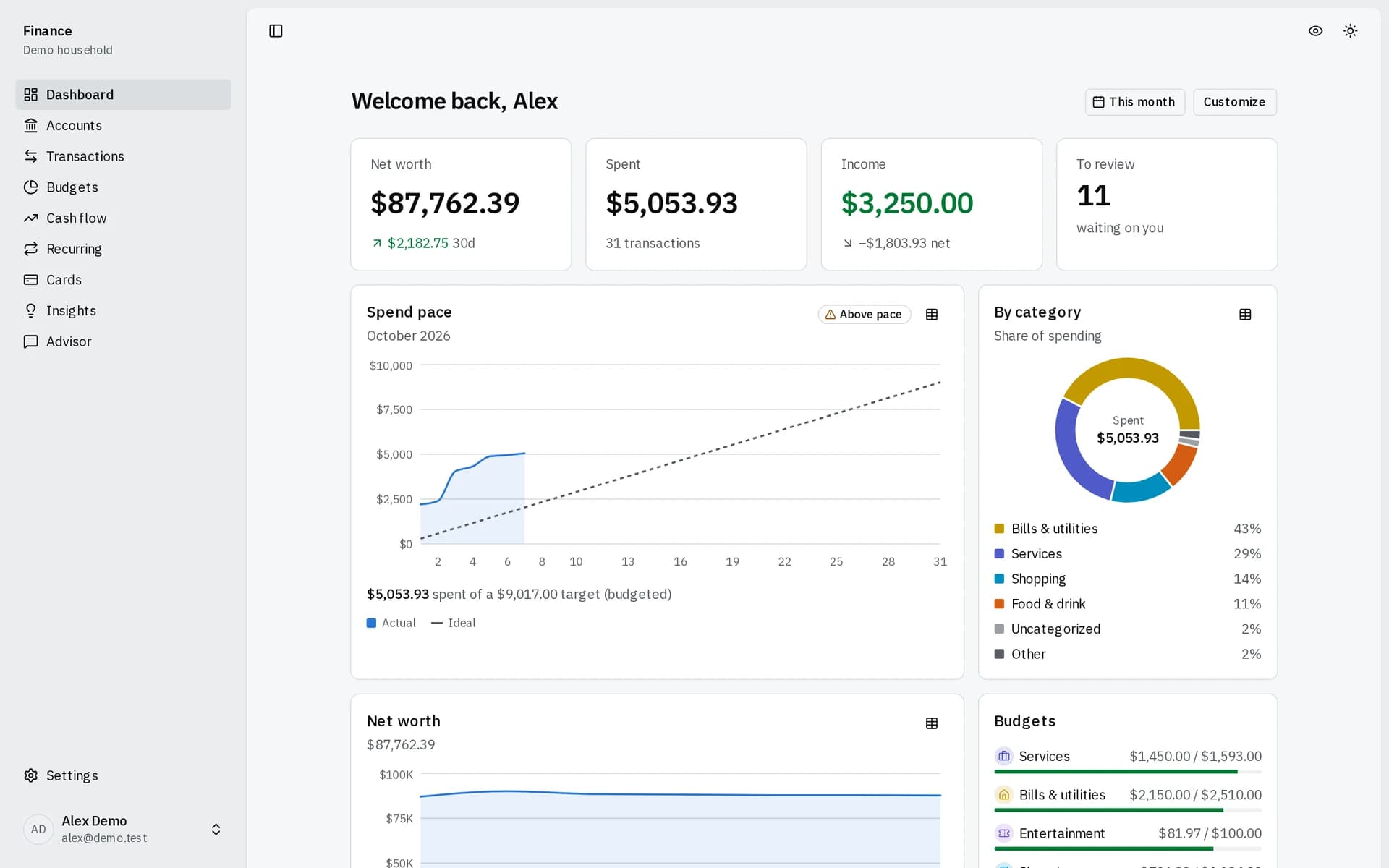
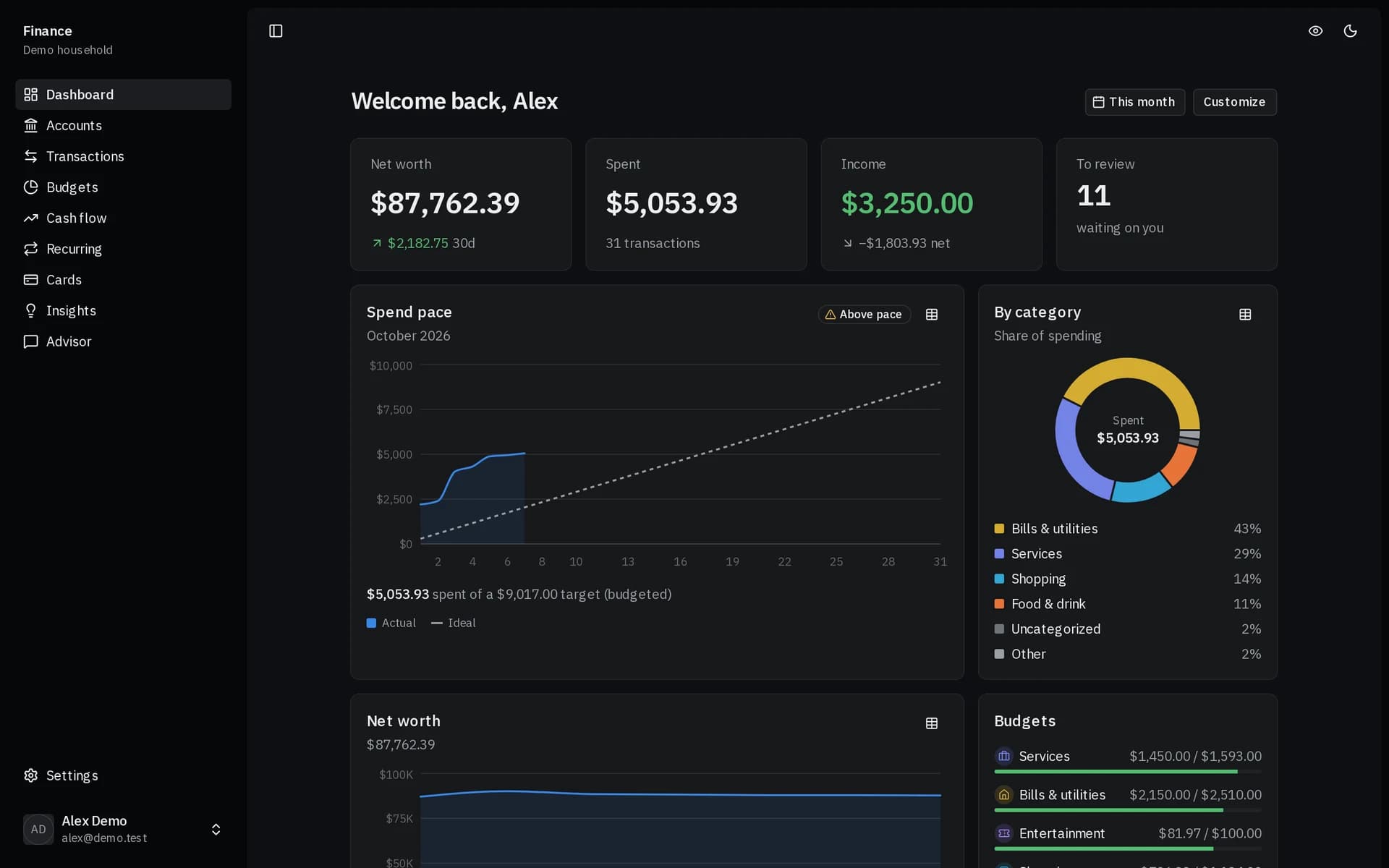
Shown with a demo household's made-up money.
Food & drink, October
$535.19 of $2,630.00
On pace
Spotify $11.99
Due on the 8th
Your weekly money check, one screen at a time
The same app on your phone and your laptop. This is the demo household's week.
Start with where you stand
Net worth, what went out and what came in this month, and how many transactions are waiting for your look.
Check the month against the plan
Each category's budget beside what you have spent, and a pace line that tells you before the month ends whether you will make it.
See what is due next
Bills, subscriptions and paychecks, found in your history and lined up by date, so nothing surprises you.
Pay with the right card
Before a dinner out, a glance tells you which card in your wallet earns the most on it.
Share only what you choose
Invite a partner as a member, or an accountant as a guest who can only look. Each account's owner decides who sees it: read only, read and write, or full control.


The parts you will use every week
Every bill on a calendar
Finance spots the bills and paychecks that repeat and puts each on its due day.
October
- Spotifythe 8th$11.99
- Applethe 12th$2.99
- Comcastthe 14th$89.99
The best card for each purchase
Pick a category and your wallet's cards are ranked by what they earn.
- Freedom Flex$5.00 on $100.00, until December 31, 20265% back
- Sapphire Preferred$3.00 on $100.003x points
- Blue Cash Everyday$1.00 on $100.001% back
Pace, not just totals
A dotted line shows where spending should be by today; yours is drawn against it.
September, the last full month
September: $8,762.61 of $8,990.00, on pace Spending pace, September Day Spent so far Ideal 1 $2,175.40 $299.67 2 $2,258.91 $599.33 3 $3,758.96 $899.00 4 $3,811.75 $1,198.67 5 $3,837.55 $1,498.33 6 $3,896.83 $1,798.00 7 $4,205.13 $2,097.67 8 $4,242.77 $2,397.33 9 $4,338.58 $2,697.00 10 $4,535.63 $2,996.67 11 $4,634.17 $3,296.33 12 $4,843.21 $3,596.00 13 $5,055.44 $3,895.67 14 $5,629.64 $4,195.33 15 $5,733.42 $4,495.00 16 $5,907.88 $4,794.67 17 $6,166.82 $5,094.33 18 $6,599.99 $5,394.00 19 $6,940.76 $5,693.67 20 $7,120.67 $5,993.33 21 $7,160.30 $6,293.00 22 $7,381.97 $6,592.67 23 $7,556.97 $6,892.33 24 $7,736.86 $7,192.00 25 $7,811.02 $7,491.67 26 $7,915.17 $7,791.33 27 $8,124.04 $8,091.00 28 $8,282.85 $8,390.67 29 $8,458.44 $8,690.33 30 $8,762.61 $8,990.00 Who sees what
Each account has an owner. Share it read only, read and write, or with full control.
Account Owner Sam can Everyday Checking Alex Read + write Travel Rewards Visa Alex Read only Brokerage Alex Not shared Bank sync or files
Connect a SimpleFIN Bridge token (a separate paid service) and your banks sync on their own, or import CSV and OFX files from any bank. Either way, Finance never sees your bank password.
- SimpleFIN Bridge token
- CSV or OFX file
Privacy mode
One click blurs every amount on screen, for when someone is looking over your shoulder.
Everyday Checking
$26,177.00
Every figure in these tiles is the demo household's made-up money.
Ask your own AI about your money
Connect the AI you already pay for (Claude, ChatGPT, Cursor or VS Code) and it can read your accounts, budgets, bills and cards. Start with Read, and add Write only once you trust it. Finance works fully without AI.
- Read and Read + Write are separate grants, chosen when you connect.
- Every change is logged with the connection that made it.
- Finance tells your assistant that bank text is data to read, never instructions to follow.
- It works over MCP, the open standard these assistants use.
You
How is our restaurant budget doing, and what bills are due in the next week?
- Read
budget_status {"month":"2026-10"} - Read
recurring_upcoming {"days":7}
Your assistant
Restaurants: $216.68 spent of $1,100.00, on pace. Due in the next 7 days: Spotify $11.99 on the 8th, Apple $2.99 on the 12th and Comcast $89.99 on the 14th.
On a Read connection
You
File Lucky Noodle Bar under Restaurants from now on.
- Read
pending_review {"limit":100} - Write
create_rule {"conditions":[{"field": "name", "op": "contains", "value": "LUCKY NOODLE BAR"}], "actions": [{"type": "category", "category_id": "01m4…"}], "apply_to_existing": true} This connection is read-only. Changes need a token with write access (mcp:write) or an app connection approved with Write.
Your assistant
I can't change anything on a read-only connection. Reconnect with Read + Write if you want me to make this rule.
On a Read + Write connection
You
File Lucky Noodle Bar under Restaurants from now on.
- Read
pending_review {"limit":100} - Write
create_rule {"conditions":[{"field": "name", "op": "contains", "value": "LUCKY NOODLE BAR"}], "actions": [{"type": "category", "category_id": "01m4…"}], "apply_to_existing": true} applied: {"matched":2,"changed":2}
Your assistant
Done. A rule now files Lucky Noodle Bar under Restaurants, and it re-filed the 2 charges already there. It is listed under Settings, Rules, if you want to change it.
An example with the demo household. Your assistant words its own answers; the numbers come from Finance's tools.
Every dollar has a place: the paycheck that came in , the bill due on the 8th , dinner on the right card , and a food & drink budget with room to spare .
The figures are the demo household's made-up money.
Questions
How do my accounts get in?
Connect a SimpleFIN Bridge token (a separate paid service) and your banks and cards sync on their own, or import CSV and OFX files from any bank.
Does Finance get my bank password?
No. Your banks connect through SimpleFIN Bridge, and Finance keeps only the read access SimpleFIN gives it, stored encrypted and never shown again. Finance can read your accounts but cannot move money, and it has no ads or analytics.
Can I use it on my own?
Yes. Finance works for one person, and sharing is optional. You can invite someone later and share only the accounts you choose.
Can I share it with someone?
Invite them as a member, or as a guest who can only look, then share each account read only, read and write, or with full control. Accounts not shared with someone stay out of their account list, transactions and exports, even if they are an admin.
What can an AI assistant do with my data?
Only what you allow when you connect it: read, or read and write. Finance tells it that transaction descriptions are data to read, never instructions to follow. You can disconnect it at any time from settings.
Is there an app for my phone?
Finance runs in your phone's browser and can be added to your home screen like an app. There is no app-store download.
Is it open to everyone?
Not yet: Finance is in private beta. Apply with a few words about your household, and if a spot opens you get an email with a link to set up your account.